This is a global announcement. This is a global announcement. This is a global announcement. This is a global announcement. This is a global announcement.
Learn More >>
By now we've all read about the CSS and JS consideration regarding robots.txt.What I've attempted to do in this post is to share my thoughts on what the robots.txt should now look like for a generic WordPress installation. If you would like more background on this issue - in some more technical detail - please read this blog post about robots.txt and CSS/JS.
There is a case to be made on both sides about the need to block: /wp-admin, and /wp-includes. There is a concern about having the contents of /wp-admin being indexed, and some risk for duplicate content. There is no one-size fits all robots.txt, and in fact there are some who recommend having an empty robots.txt file!
I do not have a final answer this aspect of the issue yet, but for now, the solution for this specific problem - at this time - is to add the following lines to the end of your robots.txt:
Allow: /*.css*
Allow: /*.js*
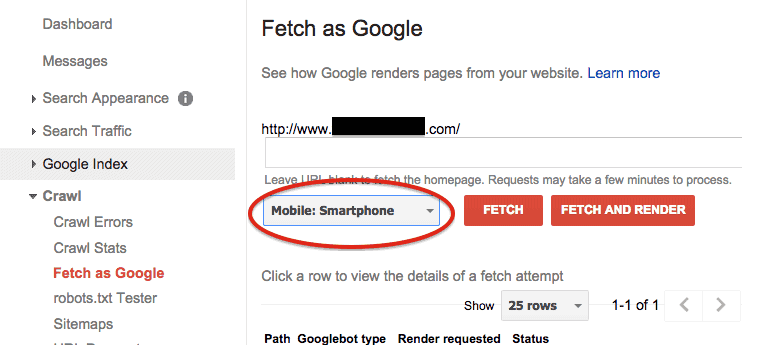
Once you have made the change, make sure you resubmit your robots.txt so Google knows to "check you out" again. You can do that by logging into Webmaster Tools (search console) and navigating to "Crawl -> Fetch as Google". Click the "Fetch and Render" button, and run a test for "Desktop" and for "Mobile: Smartphone".
 Conclusion
Google has requested that website owners make .CSS and .JS files available for Googlebot in order to improve its search engine indexing. Accordingly, that's why we are making this change.
Dr. Wank has been at the helm of Short Hills Design since he founded the company over a decade ago and is the author of the Small Business Web Design Workbook. Dr. Wank currently serves on the editorial advisory board for DentalTown magazine and writes their web development CE course.